A typeface specimen, packaging mockup, or visual identity can look convincing as a still image and become distracting when everything starts moving. A letterform may stretch, a wordmark may lose its spacing, or a dramatic camera move may overshadow the design. For font and brand designers, choosing AI video tools therefore begins with a specific question: which part of the presentation should move, and which parts must stay exact?
The strongest choice depends on the deliverable. A concept film, a short social launch, and a precise animated wordmark need different controls. The four options below cover useful starting points rather than a universal winner. Their recommended uses are editorial judgments based on current product documentation, not claims that one platform always produces better results.
Table of Contents
Separate the design into three layers: the protected identity, the surrounding scene, and the final communication. The protected identity includes letter shapes, kerning, approved colors, and any packaging text. The surrounding scene might contain paper, fabric, light, shadows, or a studio background. The final communication includes the headline, product name, and call to action that viewers must read.
A useful first brief might be: “A slow camera pushes toward a stationery arrangement, with soft afternoon light and subtle movement in the background.” Keep the approved wordmark on a separate layer for the final edit. This avoids asking a generative model to reproduce critical typography throughout the shot. If the client needs a specific letter to rotate along an exact path, conventional motion design may be more appropriate than generation.
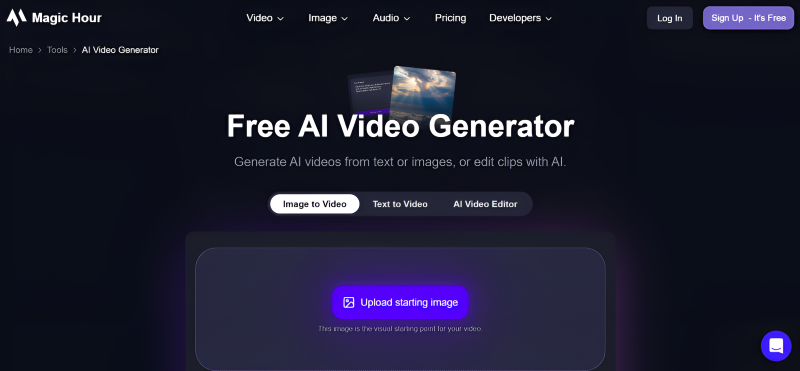
Magic Hour is worth considering when a designer already has a mood board, specimen composition, or approved mockup and wants to explore how that visual could feel in motion. Its AI video generator supports starting from text or images, as well as workflows involving existing clips. The platform brings multiple video models and related creation tools into one workspace.
For a brand presentation, start with a clean mockup and describe a restrained motion: a gentle camera move, drifting background light, or a change in atmosphere. Generate a concept clip, review it, and decide whether it communicates the intended personality. A quiet editorial brand might suit slow movement and spare composition; a playful identity may need a more energetic scene.
The important limitation is identity accuracy. Access to image-led generation does not guarantee exact typography or perfectly stable packaging. Check every frame containing a logo, then add an approved vector or high-resolution overlay in your finishing workflow when precision matters. Magic Hour is a practical option for concept exploration; evaluate its selected model and settings against your actual brief before committing to a production deliverable.
Adobe Firefly offers video generation from text or images, with controls described in its product documentation for aspects such as camera movement and composition. Its video workflow also includes ways to arrange and trim clips. This makes it a candidate for designers who want generated footage to become one component of a larger presentation.
A font launch could combine real specimen screenshots, generated texture footage, and a final title card. The generated component supplies atmosphere, while the actual type remains in a controlled design layer. That division can help a designer explain a typeface’s mood without relying on generated letters as evidence of its appearance.
Check which model you select, what controls it exposes, and which usage terms apply to that workflow. Firefly includes options involving Adobe and partner models; do not assume identical capabilities or terms across every choice. Its relevance here is the path from an idea to editable footage, not a promise that any generated clip will match an existing identity automatically.
Runway’s product offering covers image and video generation alongside tools for altering existing footage. Its documented workflows include visual changes such as restyling scenes and adjusting lighting. Designers exploring a campaign’s wider visual language may find that range useful when a single static mockup does not explain the whole concept.
Consider a packaging identity inspired by ceramics. A short concept sequence could explore the relationship between matte surfaces, warm light, and a quiet studio setting. The designer can judge whether the moving scene supports the packaging, then select a small number of useful shots for the pitch. These are presentation experiments, not replacements for the approved artwork.
Runway may deserve closer evaluation when scene creation and revision are central to the project. The tradeoff is that more creative options can also expand the review workload. Keep a shot list, record the settings behind useful results, and reject attractive footage that drifts away from the brand brief. A consistent direction matters more than collecting many unrelated clips.
CapCut’s AI video generator describes a workflow involving scripts, visual styles, aspect ratios, scenes, music, and subtitles. That makes it a candidate when a designer’s immediate need is a finished social post explaining a new identity, rather than an isolated cinematic shot.
For a typeface release, outline a simple sequence: show the name, introduce the design idea, demonstrate several applications, and finish with a readable specimen. The structural work matters as much as the generated visuals. Keep text concise and verify that each scene gives viewers enough time to understand the letters.
Automatic scene or subtitle creation still needs editorial review. Replace inaccurate wording, check names and punctuation, and inspect text placement against the platform’s interface. Use original specimen images whenever the goal is to demonstrate the font itself. This is one of AI video toolis a plausible finishing-oriented option, but its current export conditions and available features should be checked before preparing a client delivery.
Give these AI video tools the same source image and intended motion. Judge the resulting clip on four practical criteria: whether the main composition survives, whether movement supports the brand personality, whether unwanted changes can be corrected, and whether the export fits the intended channel. These are suggested evaluation criteria, not scores assigned to the products above.
Keep production details in a brief alongside the artwork: required aspect ratio, desired duration, approved colors, intended audience, and placement of the final wordmark. Review the clip on a phone as well as a larger screen. Fine strokes, subtle spacing, and small captions can disappear when a beautiful desktop presentation becomes a compact social post.
Also review the rights and permissions attached to source images, music, fonts, and recognizable people. A generated background does not resolve the licensing requirements of the other assets in the composition. Keep the approved identity files and their usage instructions available for the person finishing the video.

Start with Magic Hour for flexible image-led concept exploration, consider Firefly when generated footage needs an editing path, evaluate Runway for broader scene experimentation, and consider CapCut for structured social presentations. These are useful starting recommendations, not measured performance rankings.
The final decision should follow a small trial with your own artwork. Choose one of these AI video tools that helps express the brand while leaving exact typography under your control. A restrained clip with a readable, accurate wordmark can communicate more than a spectacular scene that changes the identity it was meant to present.
Looking for gaining insight and inspiration, read our blog further.