Recently, Affinity Designer has been dubbed attention-grabbing graphic design software for designers. Many artists are exploring this software as an alternative to their creative workflow, particularly for vector design tasks like designing logos, illustrations, and digital visual assets.
The popularity of Affinity is due to its fast performance, modern interface, and more flexible licensing approach compared to some other design software. These features are what make designers, especially freelancers or small creative studios, favor this software, as they need a professional design tool with an efficient workflow.
That’s why this article will explore more about this software called Affinity Designer, its main features, and how to use it effectively for various graphic design needs.
Table of Contents
Affinity Designer is vector-based graphic design software developed by a software development company named Serif. This software is designed to help designers make various visual artworks, mainly including logos, illustrations, icons, and digital design assets with high precision.
Since its first release in 2014, Affinity’s primary ability has been combining vector and raster workflows in one application. With this approach, designers can create a vector illustration and add raster details without having to move to another software.
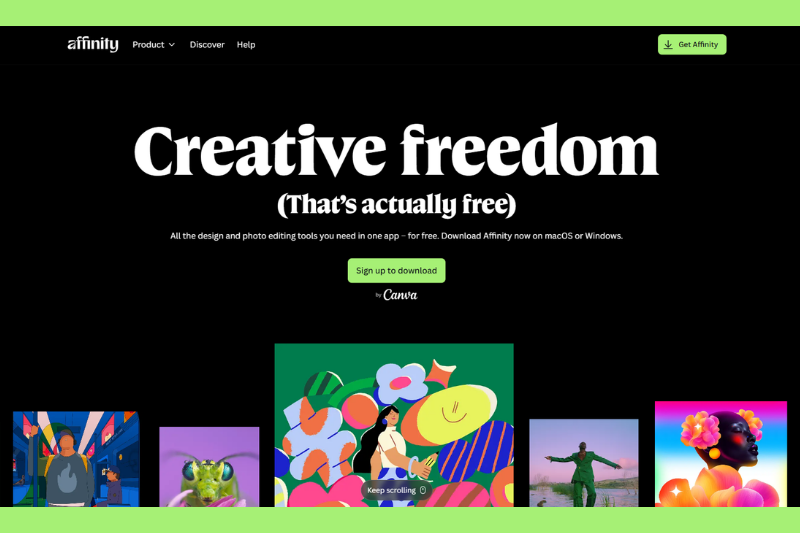
In its newest development, Affinity Suite, with Affinity Designer as its core component, has been integrated into the Canva ecosystem. This association integrates the software with the Canva platform, broadening the usage options to include a free version that is accessible without any conditions, although it has limited features.
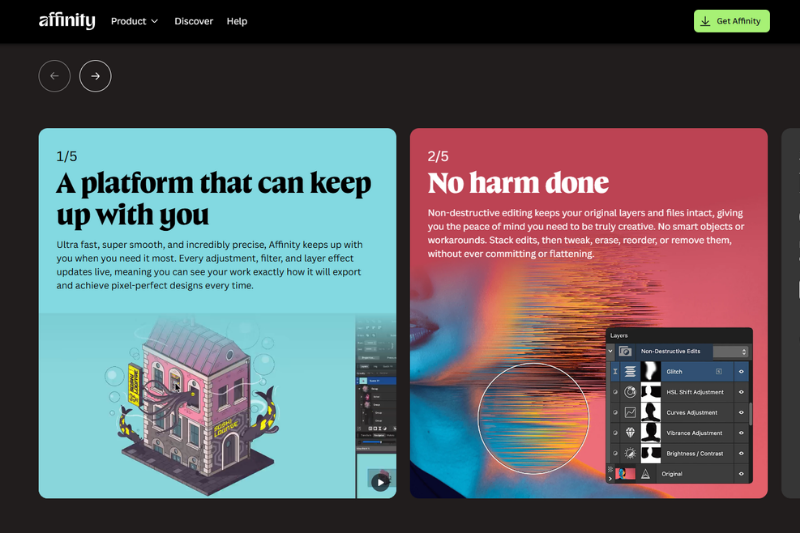
Many designers utilize Affinity Designer for a variety of reasons, including the fact that its features are specifically built to support effective vector design workflows. This software has various tools that allow you to create illustrations, logos, and digital assets with high precision.
The following are some of Affinity Designer’s key features that many designers are interested in:
Affinity Designer provides various vector tools that make it possible for designers to create illustrations with highly precise control. Some important tools include the Pen Tool, Node Tool, and various Shape Tools that make it easy to create the basic shape of a design.
Besides that, the Boolean Operations feature also allows users to combine or modify various vector shapes easily. The combination of these tools makes Affinity able to handle various complex design needs.
One of the distinctive features that Affinity has is the workspace system called Persona. Through this system, users can switch into different work modes based on their design needs.
Affinity Designer also provides various visual effects that can be directly applied to design objects. Effects like blur, shadow, glow, and distortion can be used to enrich the visual look of a design. Additionally, those effects are nondestructive, allowing users to change or remove them without breaking the original design.
For modern design needs that often involve many variations of layouts, this software provides the multiple artboards feature. This feature makes it possible for users to create several artboards in one document.
Aside from its complete feature, Affinity Designer also has various advantages that make it even more popular. The following are some main advantages of this software:
One of the advantages often mentioned by users is Affinity Designer’s fast and responsive performance. This software is designed to leverage GPU acceleration technology, making the rendering and object manipulation processes work smoothly.
Another advantage of Affinity is its flexible workflow. With the support to have vector and raster design in one application, designers can do many creative processes without having to move to another software.
Affinity Designer is a part of an ecosystem of software known as Affinity Suite. In this ecosystem, users can combine their workflow with other applications, such as Affinity Photo for image management and Affinity Publisher for layout designing.
Despite its many amazing vector design features, Affinity Designer has several limits that users should be aware of before using it. This application, like other design software, has advantages and disadvantages that vary according to the users’ needs. Here are some limitations of the Affinity software.
Compared to other design software that has long been used in the design industry, the plugin ecosystem for Affinity Designer is relatively more limited. This fact means that the extension, additional plugins, or third-party integration are not as varied as other software like Adobe Illustrator.
For some designers, this limitation may not be an issue. However, for certain design workflows that rely heavily on additional plugins, such as those used in complex graphic design projects or specialized effects, the limited options in Affinity also limit their creativity.
Compatibility with certain file formats commonly used in the design industry can present a challenge for Affinity Designer users. For example, Affinity Designer cannot fully access .ai files from Adobe Illustrator, requiring an additional step such as enabling PDF compatibility when saving the .ai file.
Although this software can open and import various design formats, screen structures and certain effects may not always be entirely readable. This limitation is a concern for many designers, particularly those working in a collaborative workflow with other people who use different software.
Despite its growing popularity, Affinity Designer’s user base in the professional design sector is smaller than that of other design software that has long been the industry standard. Many design studios, creative agencies, or large companies still use certain software as parts of their workflows. That’s why some designers might want to consider software compatibility when working in a collaborative team or project.
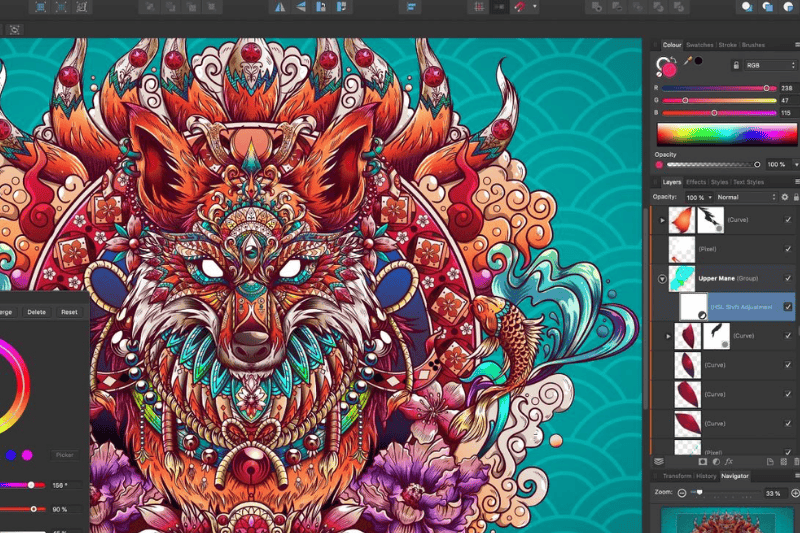
Affinity Designer caters to a wide range of digital creators with its comprehensive vector design features and flexible workflow. This software is perfect for users who need precise design control and efficient workflow. The following are users who fit Affinity Designer perfectly:
Affinity is perfect for graphic designers, as it can create various visual elements, such as logos, illustrations, and icons, with accurate vector control.
With the support to create vector and raster illustrations in one application, Affinity is such a good choice for digital illustrators.
For UI designers, this software helps in creating icons, interface elements, and various visual assets for websites and applications.
For independent or freelance designers, Affinity, with its efficient workflow and affordable price, is a perfect choice, as it fulfills their needs as professional design software.
Affinity Designer has evolved as one of the most relevant vector-based design software in a modern graphic design workflow. With a precise vector combination tool, speedy performance, and flexible movement between vector and raster, this software is able to support various design needs. Those needs include logo, illustration, and digital visual asset creations.
In addition, the latest development—integrating Affinity Designer into the Canva ecosystem—opens the potential to attract a wider range of creators. This integration enables new users to discover and experiment with Affinity, strengthening its position as a modern design platform.
Therefore, Affinity Designer might be the right answer for designers seeking the best graphic design software that offers an efficient workflow and excellent capabilities. This software is surely a worth-considering tool in today’s professional graphic design world.